


How to Login to cPanel
cPanel Login: Accessing and Utilizing Your Website’s Control Panel
cPanel is a widely used control panel that allows website owners to easily manage their websites and hosting accounts. In order to access and utilize cPanel, you need to know how to log in to it. The login process is fairly simple and straightforward.
Step 1: Opening the cPanel URL
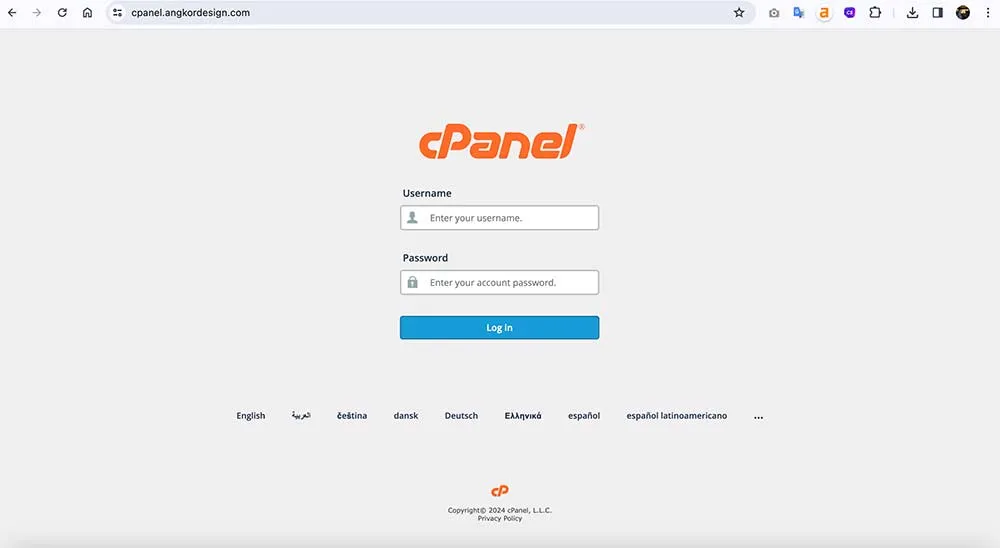
To begin, open a web browser and enter your website’s cPanel URL in the address bar. This URL is usually in the format of “www.angkordesign.com/cpanel” or “cpanel.angkordesign.com“. Once you have entered the URL, press enter to load the login page.
Step 2: Entering Your Credentials
On the cPanel login page, you will be prompted to enter your username and password. These credentials are provided by your web hosting provider when you sign up for a hosting account. It is important to keep these credentials secure to prevent unauthorized access to your website’s backend.
Step 3: Logging In
After entering your username and password, click on the “Log In” or “Sign In” button to proceed. If the entered credentials are correct, you will be redirected to the cPanel dashboard. Here, you will have access to various tools and settings that allow you to manage your website effectively.
Forgot Your Login Credentials?
In case you forget your cPanel login credentials, most hosting providers offer a password reset option. This usually involves accessing your hosting account through their website or contacting their support team for assistance. It is important to follow the necessary security measures while resetting your password to ensure the safety of your website.
In conclusion, logging in to cPanel for your website is a simple process that requires entering your provided username and password on the cPanel login page. Once logged in, you can access a range of features and settings that help you manage your website efficiently. Remember to keep your login credentials secure and follow the necessary steps if you need to reset your password.